


R E T O U C H I N G
Portrait, packshot and editorial retouching created in Photoshop (PC & iPad).
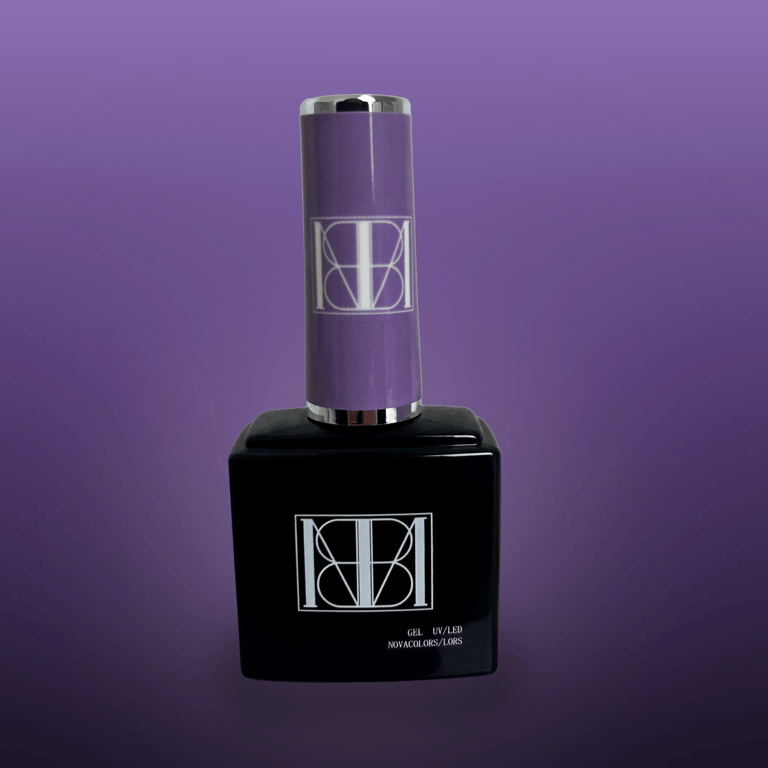
P A C K S H O T
shopbyness

B E F O R E
A F T E R
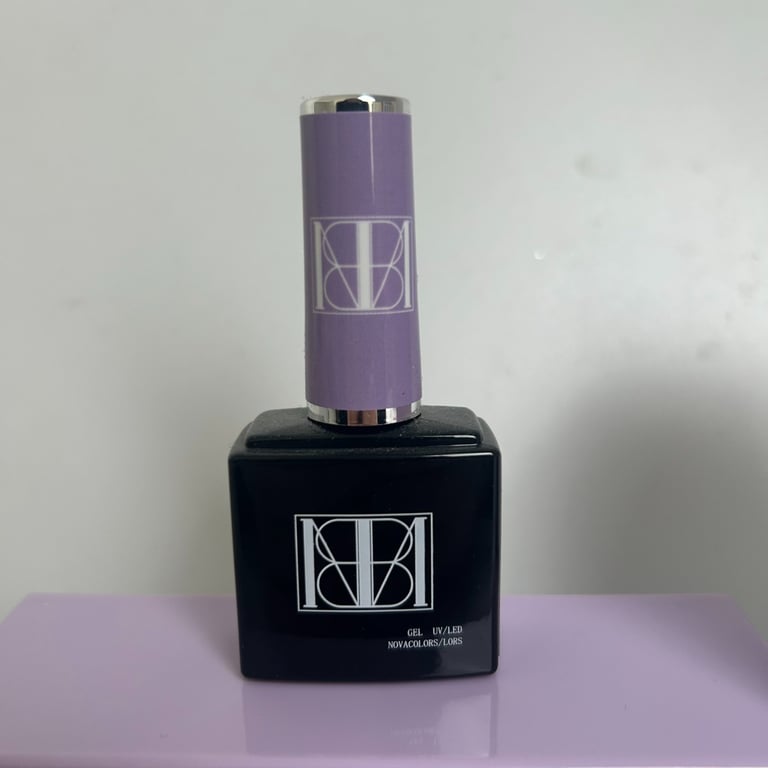
Packshot retouching created in Photoshop
Transforming a raw product photo into a cleaner, more cohesive visual tailored for e-commerce communication.
Details:
⋆ Background removal and cleanup
⋆ Purple tone and contrast harmonization
⋆ Lighting and reflection correction
⋆ Enhanced sharpness and product details
J U L I E
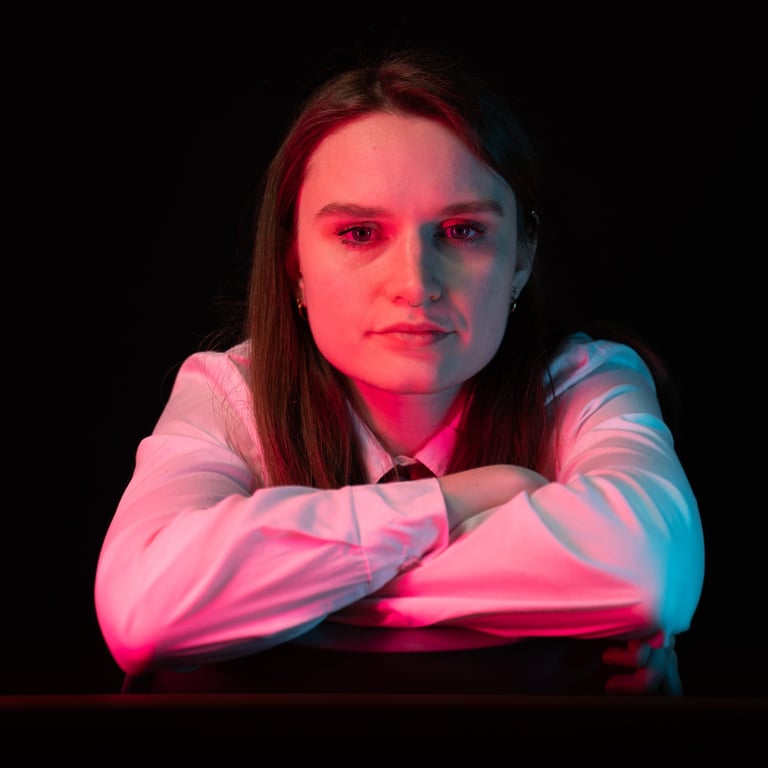
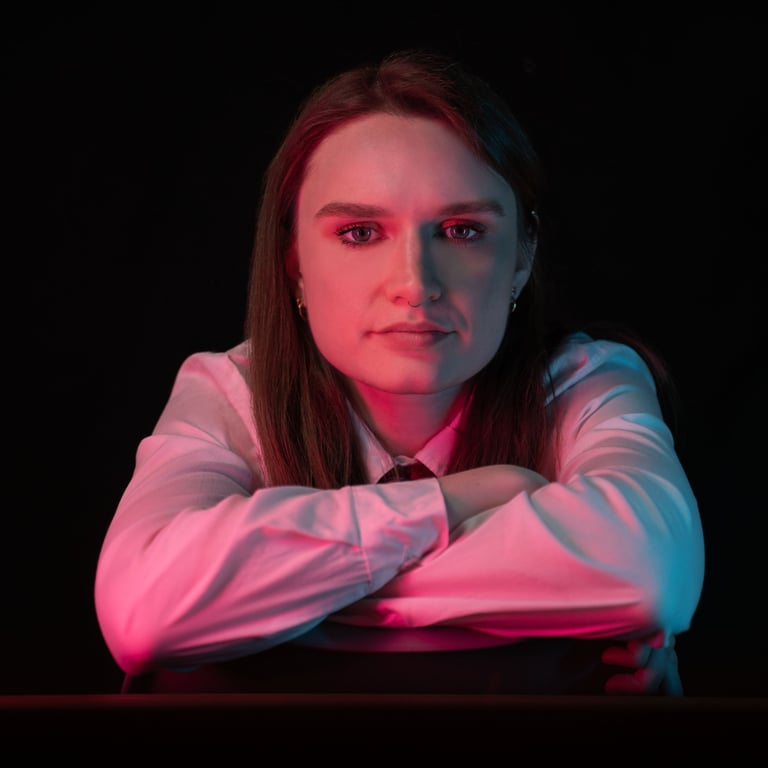
portrait
B E F O R E
A F T E R
Portrait retouched in Photoshop (iPad).
Editorial retouching focused on strong contrasts, colored lighting and a cinematic aesthetic.
Details:
⋆ Balancing red and cyan lighting
⋆ Skin tone and color harmonization
⋆ Cleanup of imperfections and distracting elements
⋆ Enhanced contrast and depth
Photo by @ares_visual (IG) ⋆ Retouching by Marie Spyridakis
J U L I E
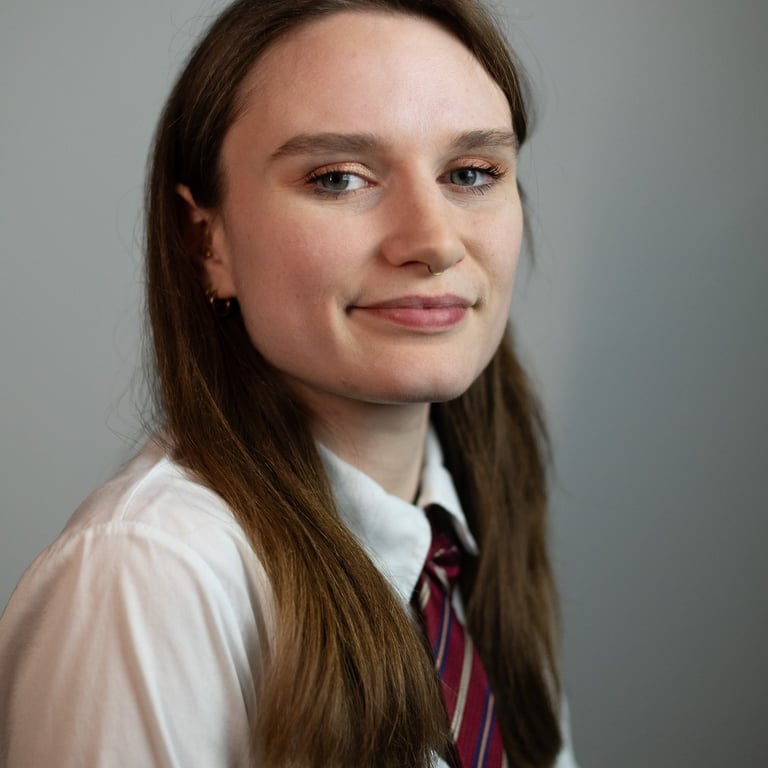
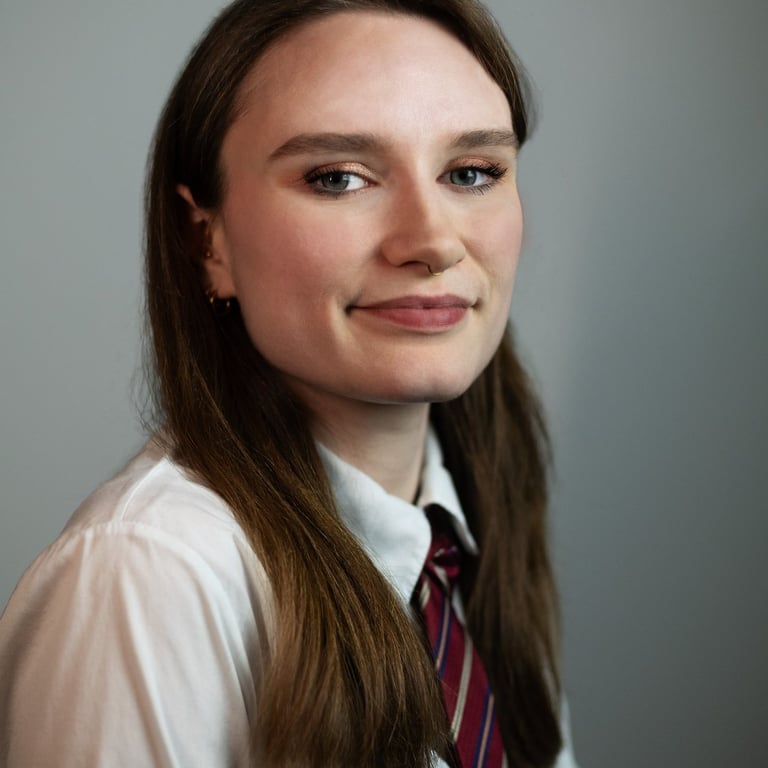
portrait 2
B E F O R E
A F T E R
Portrait retouching created in Photoshop (iPad).
Professional portrait retouching focused on maintaining a natural and realistic look.
Details:
⋆ Cleanup of imperfections and distracting elements
⋆ Subtle skin tone and color harmonization
⋆ Light and contrast adjustments
⋆ Subtle shadow work to enhance facial structure
Photo by @ares_visual (IG) ⋆ Retouching by Marie Spyridakis
M A R I E
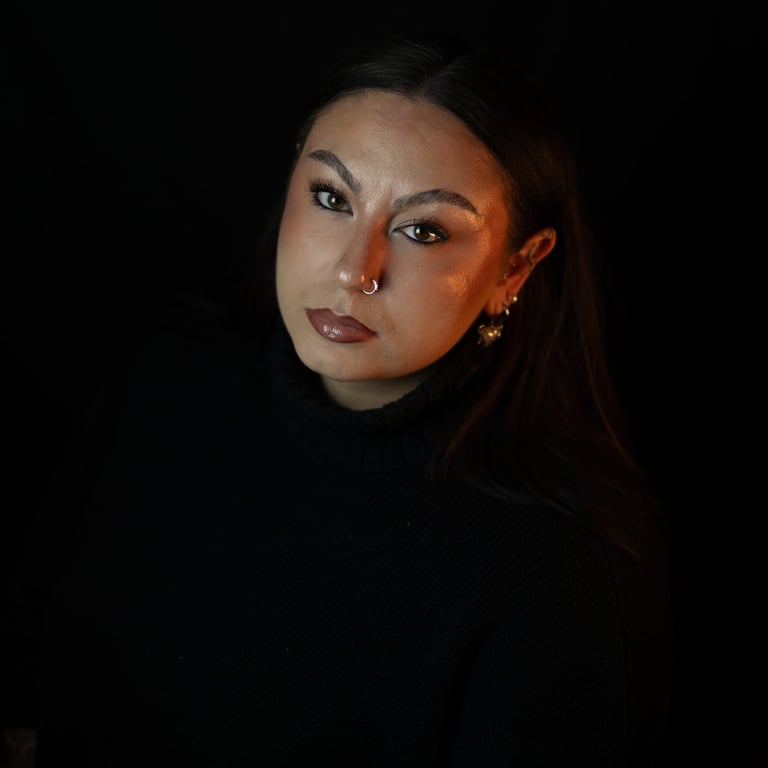
portrait
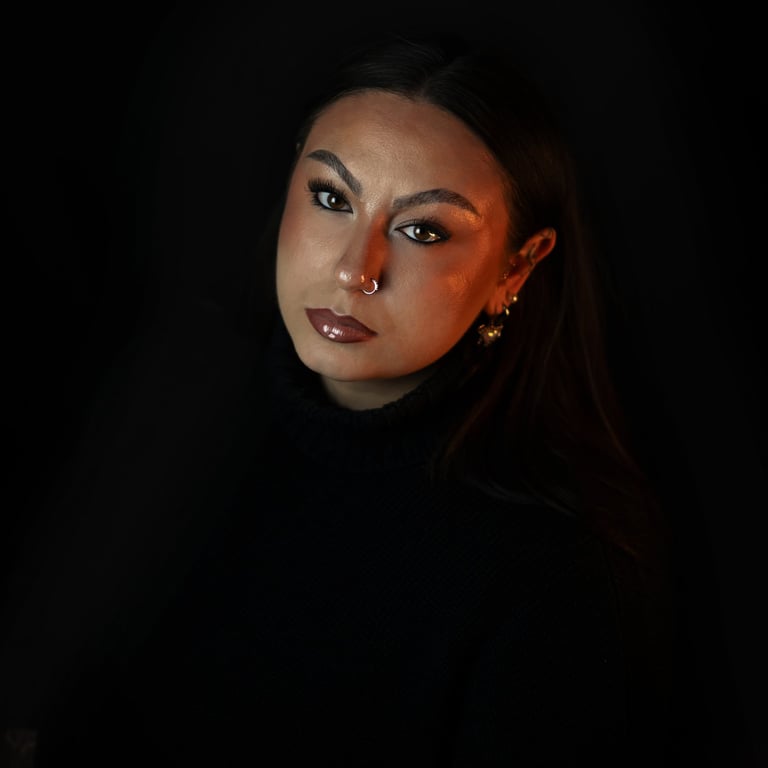
B E F O R E
A F T E R
Portrait retouching created in Photoshop (iPad).
Editorial retouching inspired by cinematic aesthetics and high-contrast studio portraiture.
Details:
⋆ Contrast and depth enhancement
⋆ Warm color grading and dark atmosphere
⋆ Natural skin tone harmonization
⋆ Local light and shadow adjustments
Photo by @ares_visual (IG) ⋆ Retouching by Marie Spyridakis
P A C K S H O T
shopbyness

B E F O R E
A F T E R
Packshot retouching created in Photoshop
Transforming a raw product photo into a cleaner, more cohesive visual tailored for e-commerce communication.
Details:
⋆ Background removal and cleanup
⋆ Purple tone and contrast harmonization
⋆ Lighting and reflection correction
⋆ Enhanced sharpness and product details
J U L I E
portrait
B E F O R E
A F T E R
Portrait retouched in Photoshop (iPad).
Editorial retouching focused on strong contrasts, colored lighting and a cinematic aesthetic.
Details:
⋆ Balancing red and cyan lighting
⋆ Skin tone and color harmonization
⋆ Cleanup of imperfections and distracting elements
⋆ Enhanced contrast and depth
Photo by @ares_visual (IG) ⋆ Retouching by Marie Spyridakis
J U L I E
portrait 2
B E F O R E
A F T E R
Portrait retouching created in Photoshop (iPad).
Professional portrait retouching focused on maintaining a natural and realistic look.
Details:
⋆ Cleanup of imperfections and distracting elements
⋆ Subtle skin tone and color harmonization
⋆ Light and contrast adjustments
⋆ Subtle shadow work to enhance facial structure
Photo by @ares_visual (IG) ⋆ Retouching by Marie Spyridakis
M A R I E
portrait
B E F O R E
A F T E R
Portrait retouching created in Photoshop (iPad).
Editorial retouching inspired by cinematic aesthetics and high-contrast studio portraiture.
Details:
⋆ Contrast and depth enhancement
⋆ Warm color grading and dark atmosphere
⋆ Natural skin tone harmonization
⋆ Local light and shadow adjustments
Photo by @ares_visual (IG) ⋆ Retouching by Marie Spyridakis
MARIE SPYRIDAKIS

Video creation, visual identities and communication strategies for brands and creative projects.
© 2026 Marie Spyridakis - All rights reserved.